AI Receptionist for Trades in BC: Stop Losing Jobs to Voicemail
By Daria Morrison, Co-Founder at Avelle Solutions — updated July 2026
On this page
Why Trades Lose More Calls Than Any Other Business
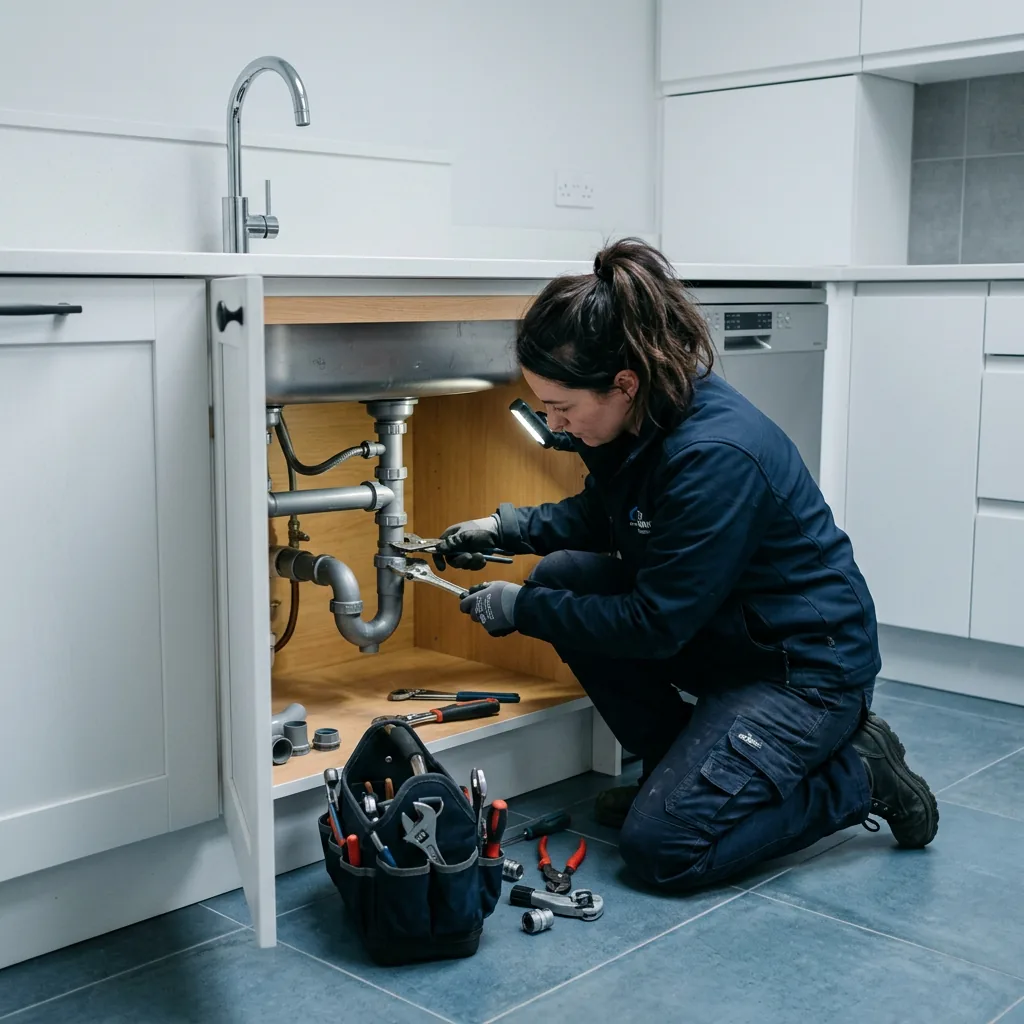
Here is the problem in one sentence: the person who can answer the phone is the same person under the sink.
A retail shop has someone at a counter. A clinic has a front desk. You have a van, a job site, and two hands that are already busy. When the phone rings at 2pm, answering it means stopping work. Sometimes it means climbing off a roof.
So the call goes to voicemail. And most people calling a tradesperson do not leave one. They hang up and call the next name on Google. That call is gone, and you never even knew it happened.
The timing makes it worse. Our trades clients in the Lower Mainland tell us their busiest lead hours are 7–9pm — after any office would have closed. A furnace dies on a February evening. A pipe bursts at 11pm. Those are the calls worth the most money, and they arrive exactly when nobody is there to pick up.
Vendors in this space publish missed-call figures for home services in the range of 27% to 62%. Treat those numbers carefully — they are self-reported by companies selling the fix. You do not need their statistics anyway. Check your own phone log for last month and count the inbound calls under 10 seconds. That is your real number.
One set of numbers does hold up, because it comes from independent research rather than a vendor blog. The Lead Response Management study (Dr. James Oldroyd, MIT Sloan with InsideSales.com) tracked over 15,000 leads and 100,000 call attempts and found the odds of qualifying a lead drop 21 times between a five-minute and a thirty-minute response, while the odds of reaching them at all drop 100 times. The Harvard Business Review follow-up across 2,241 companies found firms responding within an hour were 60 times likelier to qualify a lead than those who waited a day.
Neither study is about trades specifically, and both are now over a decade old. But the mechanism is the one you already know from your own week: the person who picks up first gets the job. On a burst pipe at 11pm, the window is not thirty minutes. It is until they dial the next number.
What an AI Receptionist Actually Does for a Trades Business
An AI receptionist is software that answers your business line. It picks up in about a second, talks with the caller in plain language, and takes action.
For a trades business, the useful jobs are narrow and specific:
- Answers every call — including nights, weekends and while you are mid-job
- Sorts urgent from routine — using rules you set, not its own opinion
- Books the job — into your real schedule, during the call
- Captures the details — name, address, what is broken, how bad it is
- Texts you a summary — so you see the job before you wash your hands
What it should not do is quote prices on a job it has not seen. We build ours to gather facts and hand the pricing conversation to a human. Guessing at a number over the phone costs more than the call was worth.
If you want the general version of this technology across all industries, we covered it in our honest review of AI receptionists in Canada. This article is the trades-specific build.
The Part That Matters Most: Emergency Triage
This is where a trades build differs from every other AI receptionist, and where most off-the-shelf tools fall down.
A dental clinic has one kind of call: someone wants an appointment. You have two kinds, and confusing them is expensive in both directions. Miss a real emergency and you lose a high-value job, plus a customer who will remember. Treat every call as an emergency and your phone rings at 3am because someone wants a quote on a bathroom reno.
So the AI needs your rules. Not general "urgency detection" — your actual words, for your actual trade. Here is how the rules typically break down:
Example rule sets. Your real thresholds depend on your crew size, on-call setup and service area — these get tuned during the build.
Notice the middle tier. Most tools only have "emergency" and "not emergency," but trades work has a real category in between: things that are not flooding right now but will not wait three days. That tier is where a lot of revenue quietly leaks out.
Booking Into Jobber, Housecall Pro and ServiceTitan
An AI that takes a message is a slightly better voicemail. An AI that books is a receptionist.
The difference is whether it writes to your field service software during the call. When it works, the job is on the schedule before the caller hangs up. When it does not, someone still has to type it in later — and that someone is you, at 9pm.
Two things to confirm with any provider:
Does it sync both ways?
One-way is not enough. The AI must be able to see your existing schedule, or it will happily book two jobs into the same slot and send a crew to a double-booking. Ask to see a live calendar read, not just a write.
What happens if the calendar API fails?
This is the failure we actually hit in production. Across 18 months, our uptime problems have come from calendar APIs, not the voice agent. The phone layer is carrier-grade; the integrations are the fragile part. Insist on a fallback: if booking fails, the AI takes full details and flags the job urgent instead of silently dropping it.
Which tools are supported?
Jobber, Housecall Pro and ServiceTitan are the common ones in BC trades, and all three support this. Joist and plain Google Calendar also work. If you run your schedule on paper or a whiteboard, get the scheduling sorted first — the AI needs somewhere to write.
What an AI Receptionist Costs for Trades in Canada
Most pricing you find online is in US dollars and aimed at bigger operations. Here are Canadian numbers:
| Option | Typical cost (CAD) | Watch out for |
|---|---|---|
| Agency-built AI receptionist | $300–$800/month | Flat fee plus usage, roughly $0.10–$0.30/min |
| Off-the-shelf AI platform (DIY) | $50–$300/month | Per-minute billing spikes during a cold snap |
| Human answering service | $400–$1,000+/month | Usually cannot book into your software |
| Part-time receptionist (20 hrs/wk) | $2,400+/month | Still nobody answering at 8pm |
The seasonal point deserves attention. If you run HVAC, your call volume in a January cold snap can be several times a normal week. On per-minute billing, that is the month your bill surprises you. Ask any provider what happens at 3x volume before you sign.
For a fuller cost breakdown across automation types, see our guide on what AI automation costs for small business.
Where It Fails on a Real Job Site
Anyone selling you this without a list like the following is selling, not advising.
The dead-end escalation. This is the worst failure mode in the whole category. The AI figures out it cannot help, says so, then loops the caller back to the start instead of reaching a human. The caller is now angrier than if nobody had answered. Before signing with any provider, call the demo line and deliberately ask something it cannot handle. Watch what happens next.
The context-free handoff. The AI transfers the call to your cell, and you pick up knowing nothing. The caller has to repeat everything. A good build passes you a summary first — spoken or texted — so you open with "I hear your hot water tank is leaking," not "who is this?"
Speakerphone in the wind. Speech recognition handles Canadian accents and normal background noise well, including ESL speakers. What still breaks it is a caller on speakerphone in traffic or wind. The practical fix is shorter opening questions, because short answers survive noise better than long ones.
Silence that feels wrong. People start noticing a pause at around 1.5 seconds. Past about 3 seconds, they hang up. When you test providers, listen for the gap after you finish speaking — that gap is the whole experience.
It is not a salesperson. It books, captures and routes. It does not talk a hesitant customer into a $12,000 job. That is still you.
Trade by Trade: What Changes
Plumbing — highest emergency share
Water damage compounds by the minute, so the gap between "call answered" and "call missed" is worth the most here. Triage matters more than booking polish. Make sure the AI can give basic safety guidance — where the shutoff valve usually is — while your tech is en route.
HVAC — brutal seasonal spikes
Your problem is not the average week, it is the cold snap. Volume can multiply overnight and every caller thinks they are the emergency. Rules need a real severity ladder: no heat with an infant or senior in the house outranks a noisy fan. Watch per-minute pricing here more than any other trade.
Electrical — highest safety stakes
Some calls should not be booked at all — they should be told to call the utility or the fire department. Burning smells, sparking panels and downed lines need a hard-coded response that does not try to schedule a visit. Get these scripts reviewed by someone with a ticket before going live.
Setting It Up: What the First Two Weeks Look Like
- Pull your call data. One month of logs. How many calls, how many missed, what hours. This is your baseline — without it you cannot tell later whether this worked.
- Write your triage rules. The words your trade treats as urgent, and who gets woken up. This is the part only you can do.
- Connect the calendar. Two-way sync with Jobber, Housecall Pro or whatever you run.
- Test it badly on purpose. Call from a job site, on speakerphone, with a compressor running. Interrupt it. Ask something stupid. This is where builds get fixed.
- Forward after-hours first. Start with evenings and weekends only. Lower risk, and the after-hours calls are the ones you were losing anyway.
- Compare against your baseline. After 30 days, count captured calls against step one.
FAQ: AI Receptionists for Trades
Can an AI receptionist tell an emergency from a normal call?
Yes, if you build the triage rules. It listens for the words your trade treats as urgent and follows the escalation you set. A real emergency rings your on-call cell in seconds. Everything else books or takes a message. It follows your rules — it does not decide urgency on its own.
Will it book jobs into Jobber or Housecall Pro?
Yes. A proper build writes to your field service software during the call, so the job is on the schedule before the caller hangs up. Confirm two-way sync so it can see existing bookings and avoid double-booking a crew.
Can it hear callers over job-site noise?
Usually. Current speech models handle typical background noise and Canadian accents well, including ESL speakers. The common failure is a caller on speakerphone in wind or traffic. Shorter opening questions help, because short answers survive noise better.
What does it cost for a trades business in Canada?
An agency-built AI receptionist runs $300–$800 CAD per month, plus roughly $0.10–$0.30 per call minute. Off-the-shelf platforms start lower but bill per minute, which gets expensive in a cold snap. A part-time human receptionist costs $2,400+ per month.
What happens when the AI cannot answer a question?
It should hand off cleanly — transfer to your cell with a summary, or take detailed notes and flag them. The failure to avoid is the dead-end, where it says it cannot help and loops back to the start. Ask any provider to demonstrate the handoff before you sign.
Should it tell callers it is an AI?
Yes. Introduce it as an assistant for your business. Callers care about getting booked, not who answered. Being upfront also avoids the awkward moment when someone realises mid-call — that is what actually damages trust.
The Honest Next Step
If your phone rings while you work, you are losing jobs. That is true whether or not you ever hire us.
So start with the free version of this: pull last month's call log and count the calls under 10 seconds. Multiply by your average job value. If that number is smaller than $300 a month, an AI receptionist is not worth it yet — and I would rather tell you that now.
If the number is bigger, book a 15-minute call and we will walk through your triage rules and what a build would look like for your trade. We are an AI automation agency based in British Columbia, and we have been deploying these for service businesses since early 2025.
Related reading: AI Receptionist for Small Business in Canada: Honest Review · How Much Does AI Automation Cost? · 5 AI Automations Every BC Business Should Use