Business Process Automation: The Complete 2026 Guide
By Richard Morrison, Co-Founder at Avelle Solutions — updated July 2026
On this page
What Is Business Process Automation?
Business process automation (BPA) is the use of software to execute recurring business processes that would otherwise need manual effort. The point is not only saving time — it is removing the errors, delays and dropped handoffs that come from doing the same thing by hand a hundred times.
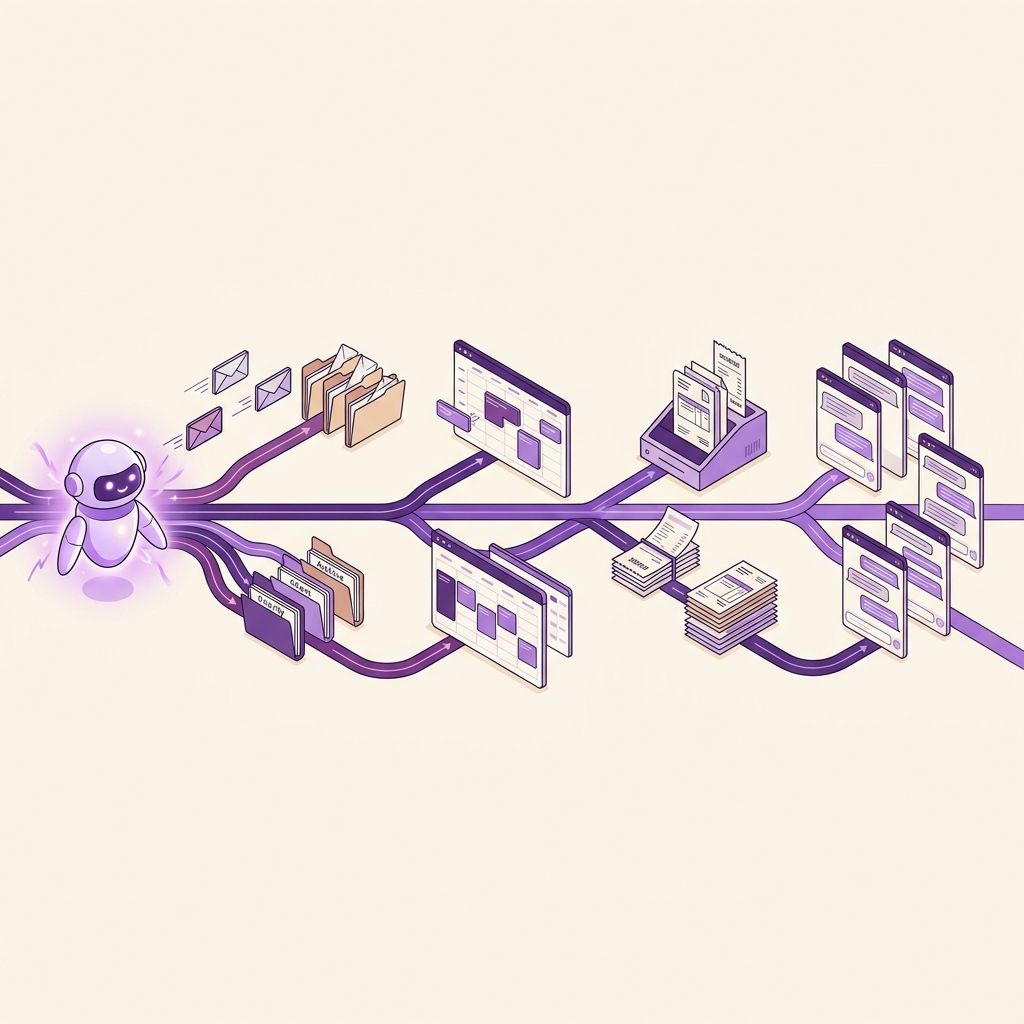
The distinction that matters: this is not one clever email filter. BPA connects the steps across your whole toolset so a process runs to completion without someone shepherding it. A signed contract creates the account, sends the welcome sequence, books the kickoff and notifies the team — because the process is wired, not remembered.
The category is large and growing steadily. Fortune Business Insights values the global BPA market at USD 22.3 billion in 2026, projecting USD 56.68 billion by 2034 at a 12.37% CAGR. Other research houses put 2026 between roughly $20–22.5 billion with growth in the 12–16% range, depending on what they count.
Business Process Automation vs Workflow Automation: What's the Difference?
These get used interchangeably, and the distinction is real but small in practice.
Workflow automation handles one sequence of tasks inside a single process. A lead submits a form, so send a welcome email, create the CRM record, notify sales.
Business process automation is broader — end-to-end processes spanning several workflows, departments and systems. The entire customer journey from first contact through contract, payment, account setup and first delivery.
For most small businesses the difference is academic, because modern workflow and back-office automation platforms handle both. Do not let a vendor charge you extra for the vocabulary.
How Does Business Process Automation Work?
Five technologies do the work. You do not need to understand the engineering, but knowing the parts helps you ask better questions.
Robotic process automation (RPA)
Software "bots" that mimic human actions — clicking, typing, copying between systems. Useful for older software with no API. If you have ever thought "a robot could do this," that is RPA territory. See our comparison of AI agents vs chatbots vs RPA.
AI and machine learning
AI-driven automation goes past fixed rules. It reads documents, interprets intent, decides based on patterns, and handles the messy inputs that break rule-based systems.
Integration platforms
The connective tissue. APIs let data move between your CRM, inbox, accounting software and scheduling tools. Where an off-the-shelf connector does not exist, custom integrations bridge the gap.
Business rules engines
The logic layer. "If the invoice exceeds $5,000, require manager approval." Simple on the surface, and the place where most of your actual business policy ends up living.
Low-code and no-code builders
Visual drag-and-drop builders that put automation in reach of business users rather than developers. This is the single biggest reason BPA became viable for small business.
What Do You Actually Gain?
Time back. The hours currently spent re-typing information from one system into another are recoverable almost in full. That is the least glamorous and most reliable benefit.
Fewer errors. People mis-type, skip steps and lose focus on repetitive work. Software does not. On data entry and handoffs, this is where most of the hidden cost sits — not in the time itself but in fixing what went wrong.
Consistency. Every customer gets the same onboarding, the same follow-up timing, the same reminder cadence, whether it is a quiet Tuesday or your busiest week of the year.
Capacity without headcount. Handling twice the volume no longer means hiring twice the admin support. For a growing small business this is usually the real prize.
Visibility. Automated processes produce data. You find out where things actually stall — which is rarely where you assumed.
Business Process Automation Examples: Before and After
Abstract benefits are unconvincing. Here is what the change actually looks like in four common processes.
Customer onboarding
Before
Contract signed → manually create the account → send welcome email → set up the project folder → assign the team → book the kickoff. A dozen manual steps, and the one that gets skipped is different every time.After
The signature triggers everything: account creation, welcome sequence, folder setup, team notification, calendar invite. Same result, no one driving it, nothing forgotten.Invoice processing
Before
Invoice arrives by email → someone keys it into the accounting system → routes it for approval → chases the approver → processes payment → files the document.After
The system reads the invoice, extracts the values, matches it against the purchase order, routes by amount, and files it on payment. A person reviews exceptions instead of typing.Lead follow-up
Before
Enquiry arrives → someone creates the CRM record → remembers to reply → remembers to follow up again → tracks it in a spreadsheet that is already out of date.After
Automated follow-up creates the record, replies in seconds, runs the sequence, books the call, and flags the rep only when the lead is worth their time.Job dispatch for field service
Before
Call comes in → someone writes it down → checks who is free → phones the tech → updates the schedule → texts the customer a window.After
An AI receptionist answers, captures the job, checks live availability, books it into the field software and confirms with the customer — before anyone gets off a ladder.What Makes Automation "Intelligent"?
Traditional automation follows fixed rules and breaks on anything unexpected. Intelligent business process automation adds capabilities that handle mess:
- Understands language — reads an email or request and works out what is being asked, however it is phrased
- Extracts data — pulls values from invoices, forms and contracts regardless of layout
- Makes judgement calls — decides based on context rather than only if/then logic
- Handles exceptions — recognises the unusual case and escalates it rather than failing silently
Consider a property management workflow: incoming tenant emails arrive in every possible phrasing. An intelligent system reads each one, categorises it as maintenance, billing or lease question, pulls out the unit number and urgency, answers the routine ones from the knowledge base, and routes the rest to staff with the context already attached. The routine majority never touches a human, and the ones that do arrive pre-organised.
Where this goes next is systems that pursue goals rather than follow scripts — covered in Agentic AI Explained.
The ROI Arithmetic (Do It Yourself)
Ignore published ROI percentages. The calculation is simple enough to do honestly with your own numbers:
📈 Automation payback estimator
Deliberately conservative: it counts only recovered labour, not error reduction, faster response or extra capacity — the benefits that are real but harder to pin a number on. If the honest labour math alone does not justify it, be sceptical of the softer arguments.
Two rules for using that number. Recovered hours are only worth something if they go somewhere useful — billable work, sales, or work you would otherwise have hired for. And measure the "before" figure properly before you start, because nobody can reconstruct it afterwards. The savings estimator and automation planner help frame it.
Which Business Process Automation Platform Should You Use?
The market splits into tiers, and small businesses routinely overbuy.
| Tier | Examples | Typical cost | Right for |
|---|---|---|---|
| SMB no-code | Zapier, Make | $50–$300/mo | Connecting popular apps, simple sequences |
| Technical / self-hosted | n8n | Free self-hosted, or ~$24+/mo cloud | Complex flows, cost control, Canadian data residency |
| Ecosystem-native | Microsoft Power Automate, HubSpot workflows | Often bundled | Businesses already living in that stack |
| Enterprise RPA | UiPath, Blue Prism, Automation Anywhere | Five to six figures | Large operations with dedicated IT — overkill for most SMBs |
We compare the small-business options in detail in the best AI automation tools for small business in Canada. If you would rather not own the build at all, that is the done-for-you route — an agency designs, builds and maintains it, billed in CAD.
What to check before committing: does it connect to the tools you already use, can someone on your team maintain it, what happens to cost as volume grows, and — for Canadian businesses handling customer data — where the data is stored. That last one is covered in Canadian data residency for AI tools and AI and Canadian privacy law.
How Do You Build an Automation Strategy?
- Find the right process. Repetitive, rule-based, high-volume, error-prone, and crossing systems. The more of those five it hits, the better the candidate. The AI readiness assessment is a reasonable starting frame.
- Map what actually happens. Not the official version — the real one, including the workaround someone invented two years ago that everyone now depends on.
- Redesign before you automate. The most valuable step and the most skipped. Which steps exist only out of habit? Which approvals protect nothing? Automating a bad process just makes it fail faster.
- Build one process and test it against reality. Not the happy path — the awkward cases. That is where designs break.
- Measure against your baseline. Then expand. Momentum from one proven win beats a stalled company-wide programme every time.
What Does This Look Like in My Industry?
Trades and field services
Call handling, dispatch, job booking, invoicing and review requests. The highest-value automation is usually the one that answers the phone while you are on a job — see AI receptionist for trades in BC.
Clinics and healthcare
Booking, reminders, intake forms, recall campaigns and billing queries. Take a typical clinic booking flow: a call that occupies the front desk for several minutes becomes a self-service booking in under a minute, and no-shows drop because reminders actually go out. Clinical questions always route to staff. See AI for medical clinics.
Real estate
Enquiry response, showing scheduling, document collection and transaction milestones. Take a typical property enquiry: the manual version costs an agent most of an hour across the day in fragments; automated, the response is immediate and the agent only steps in once there is something worth their time. See AI for real estate agents in BC.
Professional services
Client intake, engagement letters, document requests, time capture and billing. Intake and onboarding are the reliable first wins; advice itself stays with the professional.
Retail and e-commerce
Order processing, inventory reordering, returns, abandoned cart recovery and review collection. High volume and highly repetitive, which makes it the easiest category to automate well.
The Objections Worth Taking Seriously
"Our processes are too complex." Often the complexity is the symptom, not the constraint — processes accumulate steps nobody can justify. Map it first; you will usually find the process is simpler than the ritual around it. Then automate in pieces rather than all at once.
"We can't afford it." Sometimes true. If the process runs a few times a week, the arithmetic above will tell you it is not worth automating yet — and that is a legitimate answer. Run the numbers before assuming either way.
"The team will resist." Usually they resist being surprised, not being helped. Nobody is attached to re-typing addresses. Involve the people who run the process in mapping it, because they know where it actually breaks. The framework for the headcount conversation is in AI automation vs hiring.
"Our systems don't integrate." Most do, via APIs. For the genuinely old software that does not, RPA or a custom integration can bridge it — though if a system is blocking everything, replacing it may cost less than working around it.
"We don't have the technical skills." Modern no-code tools have largely removed that barrier. The harder skill is process design — deciding what should happen — and that is knowledge you already have about your own business.
FAQ: Business Process Automation
What is business process automation?
Using software to run recurring business processes that would otherwise be done by hand. Unlike simple task automation, it orchestrates an entire end-to-end process across multiple systems — the whole onboarding journey rather than just one email.
What is the difference between business process automation and workflow automation?
Workflow automation handles a sequence of tasks inside one process. BPA covers end-to-end processes spanning several workflows and systems. Most modern platforms do both, so the distinction matters more to analysts than to small businesses.
Which business processes should I automate first?
Work that is repetitive, rule-based, high-volume, error-prone and moves data between systems. Common first wins: lead follow-up, appointment booking, invoice handling, customer onboarding. Avoid starting with anything needing real judgement.
How much does business process automation cost for a small business?
DIY platforms typically run $50–$500 per month depending on volume. An agency-built, integrated system generally starts around $300–$800 CAD per month. Enterprise platforms cost far more and are usually unnecessary.
Do I need technical skills to automate my processes?
Not anymore. No-code and low-code platforms let you build visually. The harder part is process design — knowing what to automate and how it should behave — not the building.
Will automation replace my employees?
It replaces tasks, not people. It absorbs repetitive admin so your team can focus on judgement, relationships and growth. Most small businesses keep headcount and increase what they can handle.
The Honest Next Step
Pick the process that annoys your team most, and time it for one week. Count how many times it runs, how long each run takes, and how often something gets missed. That single measurement tells you more than any guide — including this one — about whether automation is worth it for you.
If the number is small, leave it alone for now. If it is large, you are already paying for it, just not on an invoice.
When you want a second opinion on which process to start with, book a 15-minute call. We will look at how the work actually flows and tell you what is worth automating — and what is not. You can also see how we build workflow and back-office automation, or review pricing and results.
We are an AI automation agency in British Columbia, building automation for Canadian service businesses since early 2025.
Sources
- Business Process Automation Market Size & Share, 2026–2034 — Fortune Business Insights
- Business Process Automation Market — MarketsandMarkets
Related reading: What Is AI Automation? · 5 AI Automations Every BC Business Should Use · How Much Does AI Automation Cost? · AI Customer Service: The Complete Guide · Generative AI Use Cases